Internet Cafe 98 Guides & Walkthroughs
From one trash PC and dial-up to a worldwide cable empire.
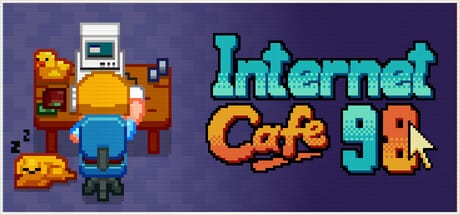
Internet Cafe 98 is a retro incremental tycoon wrapped in a Windows 98 desktop. You start with a single junk machine, a dial-up vibe, and a floor that barely fits one desk. The loop is simple to learn and deep to master: serve customers, upgrade PC parts, push network capacity, research tech, license retro games, keep coffee flowing, clean hard drives, dig lost files, expand into the next room, then open cafes across the world and lay cables between continents. This hub is the map for every major system on the wiki.
Use these pages together. A strong PC Building plan fails if research or network capacity lags behind. Expansion without solid customer ops wastes desks. Licences without hardware readiness waste cash—see Retro Games. The Getting Started guide is the day-one path; everything else deepens each pillar.
Who these guides are for
New players coming from the free Steam demo (app 4225170) will recognize the desktop UI, early research, and cafe floor. The full game, released November 23, 2026 on Steam for Windows and macOS, extends that loop into franchises, continental cables, ninety-eight Steam Achievements, and a library of ten playable retro games you can license and boot yourself. Veterans who already know the first hour can jump straight to upgrade timing, ISP priority, research order, and expansion sequencing.
GrindWill Labs developed the game; GrindWill Interactive and Stay2Busy publish it. It is single-player with Steam Achievements, Steam Cloud, and Family Sharing. Launch price is $6.99, with a 10% launch-week discount to $6.29 through November 30, 2026. For store links, Discord, and related resources, see Links. Patch notes and demo history live on Updates.
Guide map
Getting Started
The Getting Started guide covers your first hour: how the Windows 98-style desktop works, what the tutorial teaches, how the demo compares to the full release, and a day-one checklist that matches reliable beginner advice. Upgrade your first PC before buying a second desk. Research early. Raise network capacity before you seat-spam. Keep coffee stocked. Clean drives regularly. Expand when current seats already earn well. That checklist is the foundation for every later guide.
PC Building
The PC Building Guide breaks down CPU, RAM, GPU, and related parts. You will learn how hardware quality feeds session income, when a part upgrade beats buying another desk, and how to avoid spreading cash across weak machines. Pair it with the Upgrade Checklist and the Early Game Upgrades rankings when you want a prioritized shopping list.
Research and tech
The Research Guide explains research points, data banks, and how unlocks open better hardware and cafe systems. Demo patches already showed that earlier internet capacity upgrades and clearer research flow matter a lot; the full game leans on the same idea. Spend points with intent: network and income multipliers first, vanity unlocks later.
Network and ISP
The Network & ISP Guide starts at the 28.8k dial-up fantasy and walks through capacity upgrades, lag complaints in chat, research synergy, and why bandwidth stays S-tier after the July 27, 2026 patch. Read it before you blame every stutter on the GPU—and before you open desks the pipe cannot feed.
Retro games and licences
The Retro Games & Licences Guide covers licensing discs, installing titles for customers, playing all ten yourself, and deciding when a licence beats another hardware spend. Catalogue depth is a mid-to-late multiplier; it does not rescue trash PCs or choked modems.
Expansion and franchise
The Expansion Guide covers knocking walls, adding desks, opening cafes worldwide, and laying cables between continents. Expansion is a multiplier on systems you already understand. If your first floor still has weak PCs, empty coffee, or ignored drive cleaning, fix ops before you buy another room.
Customers and cafe ops
The Customers Guide focuses on coffee stock, chat complaints, hard drive cleaning, lost-file digs, and how session length and satisfaction turn into cash. Happy customers stay longer and tip the economy toward upgrades you actually need.
How to use this wiki with the game
- Finish the in-game tutorial, then follow Getting Started for the first-hour checklist.
- Rank early purchases with Early Game Upgrades and keep a running Upgrade Checklist.
- Deepen each system with the PC, research, network, retro games, expansion, and customers guides as those systems unlock.
- Confirm hardware on System Requirements if you play on macOS after the October 19 patch.
- Recheck Updates after patches so priorities stay current.
- Bookmark Links for Steam, Discord, and official channels.
Cross-links you will reuse often
- Tier List for ranked upgrade and progression priorities
- Early Game Upgrades for the opening shopping order
- Upgrade Checklist for a printable-style to-do list
- System Requirements for Windows and macOS minimums
- Network & ISP when chat screams about lag
- Retro Games when you are ready to deepen the catalogue
- Updates for demo patches and release notes
- Cafe View & macOS Patch for the October 19 floor and platform drop
- Links for Steam store, Discord, and community hubs
Writing standard for these guides
Every guide on this hub aims for practical depth: clear headings, concrete priorities, and internal links instead of vague advice. Bodies avoid filler. Facts stay aligned with the public Steam page and demo patch notes (smoother tutorial on July 25, earlier internet capacity and clearer research on July 27, new cafe view plus macOS and QoL on October 19). When in-game numbers shift after a patch, start with Updates, then revisit the matching system guide.
If you are brand new, open Getting Started next. If you already have a busy floor and are stuck on income, jump to PC Building, Research, or Network & ISP. If desks are full and money is idle, read Expansion. If customers leave early or complain in chat, fix Customers & Cafe Ops before you spend on another room. When the floor is healthy and you want nostalgia payoff, deepen the catalogue with Retro Games.
Frequently Asked Questions
Quick answers for cafe owners still learning the dial-up grind.
Which guide should I read first?
Start with Getting Started for the first-hour checklist, then use Early Game Upgrades and the Upgrade Checklist to spend cash in the right order.
Do these guides cover the free demo and the full game?
Yes. Core loops match the demo (Steam app 4225170). Franchise scale, worldwide cafes, and full cable progression are full-game topics covered mainly in Expansion.
Where do upgrade priorities live?
Detailed part advice is in PC Building. Network timing is in Network & ISP. Ranked early picks are on Early Game Upgrades.
When should I buy retro game licences?
After your flagship PC and capacity are healthy. The Retro Games guide explains licence-versus-hardware timing.
How do I stay current after patches?
Check Updates for patch notes, including Cafe View & macOS Patch, then revisit the matching system guide if priorities moved.
Is Internet Cafe 98 multiplayer?
No. It is a single-player tycoon with Steam Achievements, Steam Cloud, and Family Sharing. Community chat lives on Discord via Links.