Internet Cafe 98 Retro Games & Licences Guide
Stock the hits of ’98, keep seats busy, and decide when a licence beats another part upgrade.
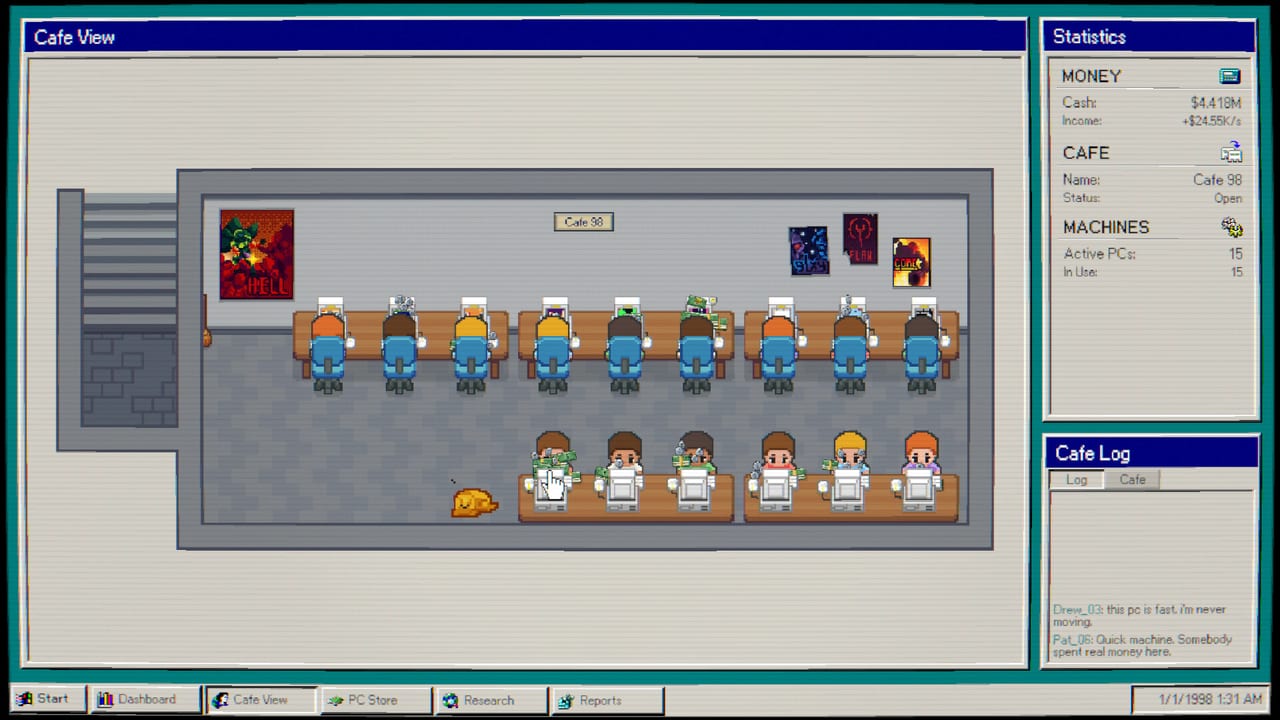
Internet Cafe 98 is not only a beige-box upgrade sim. The fantasy includes a shelf of period-flavored classics—ten playable retro games you can license, install for the floor, and boot yourself from the Windows 98 desktop. This guide explains how the licence loop works in practice, how game offerings interact with PC quality and session length, and when you should spend on discs versus hardware, research, or another desk.
If you are still learning the first hour, read Getting Started first. Hardware depth lives in PC Building; customer patience and chat complaints are covered in Customers. Treat this page as the catalog and economy layer that sits on top of those systems.
What “ten retro games” means here
Store and launch copy highlight ten playable titles framed as hits of 1998, with tongue-in-cheek “officially licensed” marketing. This wiki does not invent unconfirmed IP names. Think of them as period-correct arcade, action, and desktop classics that sell the cafe fantasy: customers want machines that can run what you advertise, and you can sit down and play the same library yourself between management clicks.
Your job as owner is threefold:
- Acquire licences so the cafe is allowed to offer the titles.
- Install and maintain them on seats that can actually run them.
- Play for fun or familiarity so you understand what a “good” session feels like on weak versus upgraded hardware.
Licensing discs and offering games to customers
Licences are progression purchases, not free flavor. Early on, a single popular offering on a half-decent PC often beats a wall of titles on trash hardware. Later, a deeper catalog helps differentiate premium seats and keeps returning traffic from getting bored.
Practical habits:
- Unlock or buy a licence when your best seat is already an acceptable earner, not while the starter box is still choking.
- Install the new title on the strongest machine first, then clone the setup when you add desks.
- Watch chat and floor traffic after each licence. If nobody queues the new game, you may have bought content ahead of demand—or your PCs and network still feel too slow for the pitch.
- Log licence spends on the Upgrade Checklist so you do not impulse-buy every disc the moment cash spikes.
Licences multiply a healthy cafe. They rarely rescue a floor with empty coffee, filthy drives, or dial-up meltdown. Fix ops with Customers and capacity with Network & ISP before you binge the catalog.
Playing the ten games yourself
One of the charm hooks is that you are not locked out of the library. Boot a title from the desktop when you want a nostalgia break or when you need a gut check on performance. If a game feels sluggish on your flagship seat, customers will feel the same friction—and they will leave earlier or complain in chat.
Use self-play as a diagnostic:
- After a CPU or RAM upgrade, launch a demanding title and note responsiveness.
- After a network bump, confirm online-flavored cafe moments feel less painful.
- After installing a new licence, verify the install path and that the seat you care about actually has the game available.
Self-play is not a substitute for research or expansion planning, but it is excellent feedback that spreadsheets cannot give you.
How games interact with PC quality and stay time
Session income in Internet Cafe 98 rises when customers stay longer and keep paying for time. Game offerings are a demand magnet; hardware and network are the retention engines.
Weak PC + flashy licence: customers arrive curious and leave annoyed. Chat fills with performance complaints. You spent money twice—once on the disc, once on wasted opportunity.
Strong PC + no catalogue depth: you have a quiet premium box. Fine early, but mid-game traffic wants variety.
Strong PC + matching licences + healthy network: seats stay full, stay time climbs, and reinvestment into the next research node or room becomes easy.
That is why this guide cross-links hard to PC Building. GPU and related parts matter more as you lean into the playable library; CPU and RAM still carry the early game. Never “solve” a bad machine with another disc.
When to buy licences versus hardware
Use this decision frame whenever the shop tempts you.
Prefer hardware (or network) when
- Your best seat is still near starter quality.
- Chat complains about lag, freezes, or “slow PC” more than about missing games.
- Research just unlocked a part tier that multiplies income on existing desks—spend there first (Research).
- Network capacity is saturated relative to seat count (Network & ISP).
- Coffee is empty or drives are dirty—ops beat cosmetics and catalog depth.
Prefer a new licence when
- Flagship hardware is already a strong earner and often busy.
- Customers clearly want more to play, or idle seats suggest demand for variety rather than raw speed.
- You can afford the licence and still keep research and coffee funded this session.
- You want to play the title yourself and the install will live on a machine that can run it well.
Prefer a new desk instead of either when
- Utilization is maxed, builds are cloned cleanly, and capacity has headroom—see Expansion.
A reliable heuristic: licences are mid-to-late multipliers; first-hour money belongs to parts, modem, and research. That matches Early Game Upgrades and the checklist’s late “licence binge” placement.
Synergy with research, expansion, and franchise scale
Research can gate better machines that make the library feel premium. Expansion multiplies how many seats can run your catalog at once. Franchise and cable projects turn a local hit list into a brand—but only after the home floor proves the loop. Do not open a distant cafe just to park unused licences; stabilize with Expansion timing rules first.
Worldwide cafes benefit from standardized installs: same core titles on similar builds so you are not micromanaging unique snowflake machines on every continent. Keep one showcase seat for the heaviest titles if you enjoy that fantasy, and keep the bulk of the floor on a shared “acceptable plus” spec.
Suggested mid-game catalogue workflow
- Confirm Sections A–C of the Upgrade Checklist are healthy.
- Note which seats are busy versus abandoned.
- Buy one licence that fits your current hardware tier.
- Install on the flagship, self-play for one short session, then roll out to other strong desks.
- Restock coffee and clean drives so the new demand does not collapse under ops failure.
- Recheck network load; add capacity before the next disc if chat turns salty about lag.
- Only then consider a second licence or a new desk.
Common retro-games mistakes
- Buying every licence early while the starter PC is still trash.
- Ignoring GPU and CPU after advertising heavier titles.
- Forgetting network so online-flavored sessions stutter.
- Skipping customer ops because “the games will fix retention.”
- Never playing the titles yourself, so you cannot tell whether a complaint is hardware, network, or taste.
- Expanding rooms to show off empty shelves instead of full seats—read Expansion.
How this page fits the rest of the wiki
- Day-one path: Getting Started
- Machines that run the library: PC Building
- Bandwidth that keeps sessions smooth: Network & ISP
- Tech that unlocks better shelves: Research
- Happiness and chat diagnostics: Customers
- Rooms and world scale: Expansion
- Ranked spend order: Tier List and Early Game Upgrades
- Patch and launch context: Updates and Launch Week Notes
- Store and Discord: Links
Retro games are the nostalgia payoff of Internet Cafe 98, but they reward the same discipline as every other system: upgrade the pipe and the box, keep the floor kind, then deepen the catalog. License with intent, install on hardware that deserves the disc, and let longer sessions fund the next research node—not the other way around.
Frequently Asked Questions
Quick answers for cafe owners still learning the dial-up grind.
How many playable retro games are in Internet Cafe 98?
The store highlights ten playable retro titles framed as hits of ’98. This wiki does not invent unconfirmed game names; focus on licensing, installing, and supporting them with solid PCs.
Should I buy licences before upgrading my first PC?
Usually no. Make the starter seat an acceptable earner and fix network/research first. See PC Building and Early Game Upgrades.
Do customers care which games I offer?
Yes—catalogue depth attracts and retains traffic once hardware and coffee are fine. Pair offerings with the Customers ops loop so stay time actually rises.
Can I play the licensed games myself?
Yes. Boot them from the desktop to enjoy the nostalgia trip and to feel whether a seat is fast enough before you clone that build.
Why do game sessions still feel bad after I buy a licence?
Likely PC quality or network capacity. Read Network & ISP and upgrade parts before buying another disc.
Where should I track licence purchases?
Use the Upgrade Checklist and keep an eye on Updates if patches change economy timing.