Internet Cafe 98 Customers & Cafe Ops Guide
Coffee, chat, clean drives, lost files—keep sessions alive and cash flowing.
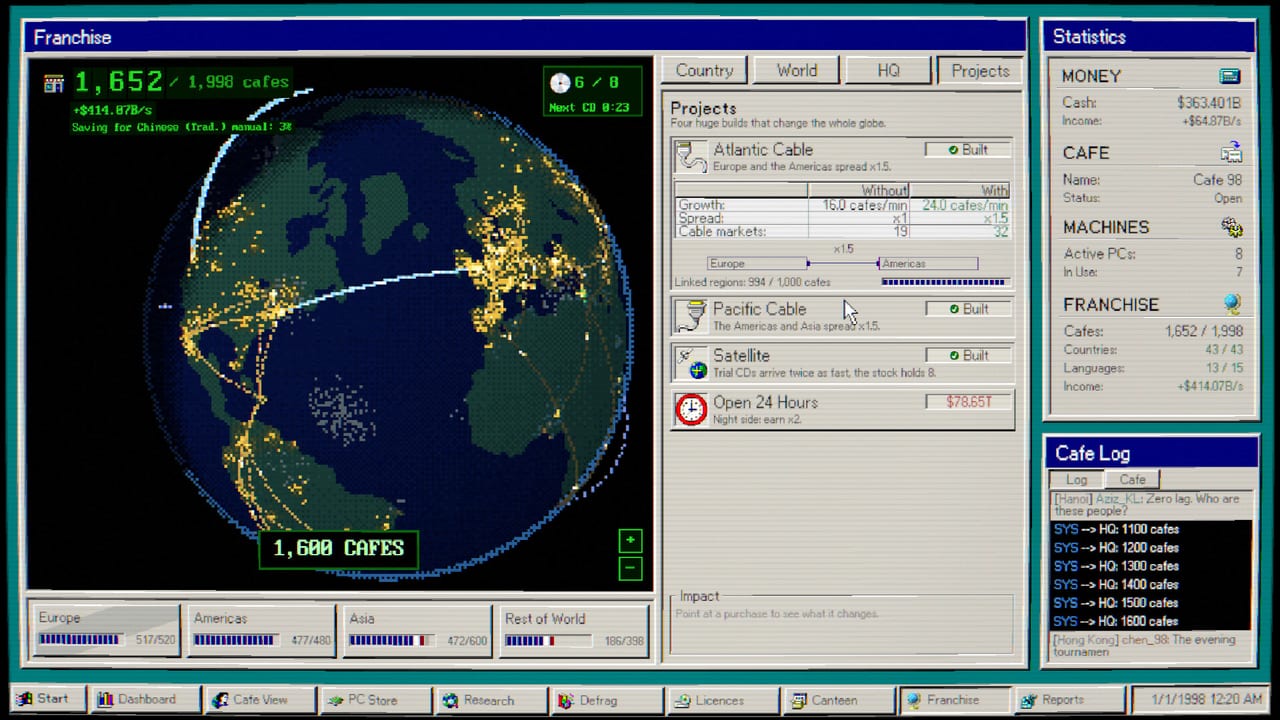
Hardware and research decide what your cafe can earn. Customers and cafe ops decide what you actually earn. Internet Cafe 98 constantly asks you to stock coffee, read chat complaints, clean hard drives, dig lost files, and keep sessions from dying early. Ignore those systems and even a upgraded PC feels broke.
This guide is the operations manual for the floor. Pair it with Getting Started on day one, PC Building when seats feel weak, Research when capacity gates traffic, and Expansion only after ops can survive more desks.
What a customer session is worth
A customer walking in is potential session income. That income grows when:
- The PC is good enough to stay on (PC Building)
- The network is not choking (Research)
- Coffee is available so the visit feels like a cafe, not a hostage situation
- Machines are clean enough that software gremlins stay quiet
- You respond to chat complaints before they bounce
Session income is not only the sticker price of time. Longer, happier visits compound into upgrade cash. Short, angry visits starve research and expansion. Ops excellence is an income multiplier wearing a barista apron.
Coffee stock
Coffee is the simplest ops metric and the easiest to forget while you stare at GPU tiers.
Why coffee matters
Stocked coffee supports the cafe fantasy and keeps customers satisfied during sessions. Empty stock shows up as complaints, shorter stays, and a floor that looks busy while earning poorly. Beginner advice is consistent: keep coffee stocked.
Coffee habits that work
- Check stock whenever you open the desktop between major upgrades.
- Restock before you knock a wall or place a new desk—headcount rises faster than memory.
- Treat coffee as part of the Upgrade Checklist, not as an afterthought.
- If chat mentions drinks or cafe service, fix coffee before you buy another cosmetic part.
Coffee will not replace a trash CPU. It will protect the value of the CPU you already bought.
Chat complaints
The chat layer is your early warning system. Customers talk. When they complain, translate the message into a system:
| Complaint vibe | Likely cause | First fix |
|---|---|---|
| Slow / laggy / old machine | Weak PC or network | Parts + research |
| No coffee / bad service | Empty stock | Restock |
| Glitchy / messy PC | Dirty drives | Clean drives |
| General anger after expansion | Ops overload | Slow growth, stabilize |
Do not mute the signal. Click through complaints, fix the underlying system, then return to long-term upgrades. Chat is not flavor—it is free consulting.
After demo QoL patches (including the October 19 cafe view and usability work), the floor and chat should be easier to read; if something feels off, confirm you are on a current build via Updates.
Hard drive cleaning
Cleaning hard drives is a scheduled ops task with two payoffs: direct rewards and fewer technical headaches on seats customers rent.
Why cleaning is mandatory
- Regular cleaning is called out in reliable beginner tips for a reason.
- Dirty machines undermine expensive part upgrades.
- Cleaning creates a rhythm that keeps you touching every desk—useful when the floor grows.
How to schedule cleaning
- After major upgrade sessions, sweep dirty machines before you leave the floor idle.
- When you add desks, assume cleaning load scales roughly with seat count.
- If complaints spike with “glitchy” energy, clean before you refund the GPU purchase in your head.
- Bundle cleaning with lost-file digs when both are available so one ops pass covers two rewards.
Cleaning is not as glamorous as franchise cables. It is often higher ROI per minute in the early and mid game.
Digging lost files
Lost-file digs are the scavenger side of cafe ops: spend attention to recover files for side income or progression value. They fit the Windows 98 desktop fantasy and fund the next part upgrade without waiting solely on session fees.
When to dig
- You have a short idle window between customers
- You need a burst of cash for a researched part that just unlocked
- Cleaning is done and coffee is stocked, so the floor is otherwise stable
When to postpone digs
- Coffee is empty and chat is on fire
- A wall knock left you with unequipped desks
- Research points are sitting unspent on a Tier A capacity node
Lost files are a bonus loop, not an excuse to ignore the cafe. Dig when the floor is safe.
Session income optimization
Put the pieces together into a loop you can run on autopilot:
- Glance chat — any active complaints?
- Coffee — stocked?
- Cleaning / files — any due tasks?
- Best weak seat — does hardware need a buy? (PC Building)
- Research — any capacity unlock ready? (Research)
- Expansion check — are current desks earning well enough to grow? (Expansion)
That six-step pass prevents the classic failure mode: a beautiful research tree and a cafe that smells like burnt empty pots.
Income killers
- Empty coffee during peak traffic
- Dirty drives on your “premium” showcase PC
- Ignoring chat until the room clears
- Adding desks you cannot support operationally
- Chasing lost files while the stocked-coffee light has been red for ages
Income protectors
- Ops pass before every expansion
- Cleaning rhythm tied to desk count
- Coffee restocks batched with upgrade shopping
- Complaint triage mapped to real systems
- Using Early Game Upgrades so cash lands on parts that actually hold sessions
Ops while scaling
One room
You can micromanage coffee, cleaning, and digs by hand. Build the habit now.
Multi-desk room
Batch ops: restock, then clean all dirty seats, then dig once, then return to builder/research.
Worldwide cafes
Standardize ops expectations per location the same way you standardize PC builds. A franchise that forgets coffee is a franchise that teaches customers to leave. Expansion guidance in Expansion assumes this discipline.
Synergy with licensed retro games
Customers show up for internet time and for the playable retro games you license (ten titles in the full game). Game-focused visits still need cafe comfort. A strong GPU with empty cups and filthy drives will not retain players who came to linger. Build hardware for the catalog, then run ops so sessions finish paid and happy.
Common customer-ops mistakes
- Treating coffee as optional flavor
- Never reading chat
- Skipping cleaning for “just one more” part buy
- Digging files during an ops emergency
- Expanding headcount without raising ops cadence
- Blaming hardware for problems that are actually empty stock
Suggested daily ops card
Keep this next to the Upgrade Checklist:
- Coffee stocked
- Chat cleared / causes fixed
- Drives cleaned on rotation
- Lost files dug if floor is stable
- Weak busy seat upgraded if cash and research allow
- Expansion deferred unless desks already earn well
Where to go next
- New to the desktop loop? Getting Started
- Seats feel weak even with happy chat? PC Building
- Traffic capped? Research
- Ready for more rooms or world cafes? Expansion
- Need ranked buys? Tier List / Early Game Upgrades
- Patch changes to cafe view or QoL? Updates
- Steam and Discord? Links
Customers are the reason the Windows 98 cafe exists. Keep them caffeinated, keep their drives clean, listen when chat turns sour, and dig lost files when the floor can spare you. Do that, and every part upgrade and research unlock finally converts into the session income the rest of this wiki assumes.
Frequently Asked Questions
Quick answers for cafe owners still learning the dial-up grind.
How often should I restock coffee?
Check whenever you context-switch to upgrades or research, and always before adding desks. Empty coffee cuts session value fast—treat it like a required buff.
What should I do when chat complaints spike?
Map the complaint to hardware, network, coffee, or cleaning, then fix that system. Do not buy random parts while coffee is empty. See also PC Building.
Is hard drive cleaning worth the time?
Yes. Beginner tips flag regular cleaning for side value and fewer machine issues. Bundle it with lost-file digs when both are available.
When should I dig lost files?
When the floor is stable—coffee stocked, cleaning handled, no emergency complaints. Digs fund upgrades; they should not replace ops.
Can good ops replace PC upgrades?
No. Ops protect income; hardware and research raise the ceiling. Use both, plus priorities from Early Game Upgrades.
Why do new desks make customers angrier?
Headcount rose faster than coffee, cleaning, or network capacity. Stabilize ops and research before the next expansion—see Expansion.