Internet Cafe 98 PC Building Guide
Turn trash hardware into seats customers actually want to rent.
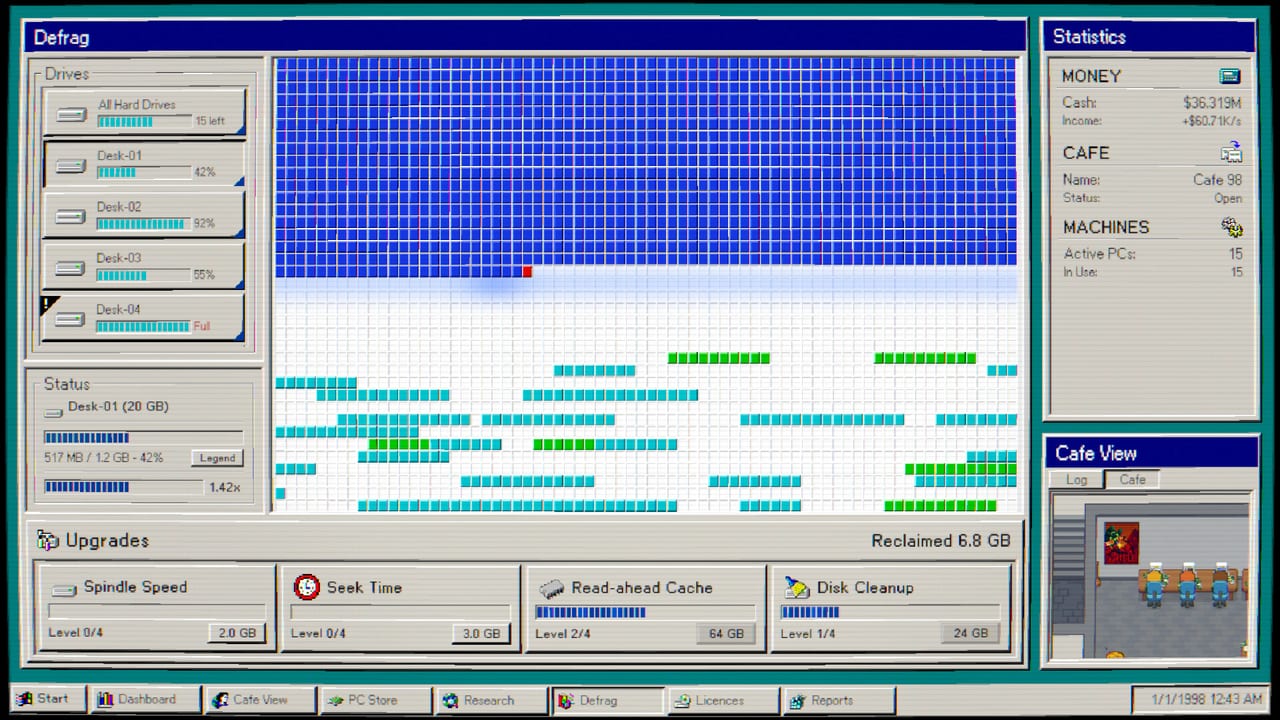
Every dollar in Internet Cafe 98 eventually touches a machine. Customers rent time on your PCs, play the licensed retro games you offer, and pay more—or stay longer—when hardware does not feel like dial-up sludge. This guide covers how to think about CPU, RAM, GPU, and related parts; how quality maps to income; and when you should upgrade an existing seat instead of buying another desk.
If you are still in the first hour, read Getting Started first. If research gates are blocking the parts you want, jump to Research. For ranked early purchases, keep Early Game Upgrades and the Upgrade Checklist open beside this page.
The job of a cafe PC
A seat in Internet Cafe 98 is an income engine with four jobs:
- Attract and hold sessions — weak machines shorten visits and invite chat complaints.
- Support the games you license — you can license and play ten retro titles yourself; customers expect hardware that can run what you advertise.
- Scale with network capacity — a fast PC on a choked line still feels bad; pair builds with network research.
- Convert upgrades into cash — every part buy should raise earnings enough to fund the next unlock or desk.
You start with one trash PC and a 28.8k-era network vibe. The fantasy is a worldwide cable empire; the practical path is making that first box respectable before you multiply desks.
Parts overview
Exact menus can shift with patches, but the mental model stays stable across the demo and full release.
CPU
The CPU is the general responsiveness lever. Upgrading it helps sessions feel snappier and supports heavier multitasking tropes of a late-90s cafe. Early on, CPU bumps are often the clearest “this seat earns more” purchase when the starter chip is obviously outdated.
Buy CPU when: the seat feels slow even with coffee stocked and network not fully saturated, or when research just unlocked a clear CPU tier jump.
RAM
RAM supports stability and “can this machine juggle what customers throw at it” fantasy. Under-upgraded memory shows up as frustration: shorter sessions, more complaints, worse conversion from foot traffic to paid time.
Buy RAM when: you already fixed the worst CPU bottleneck and customers still bounce, or when a research unlock explicitly enables a memory tier that matches your licensed games.
GPU
GPU matters more as you lean into playable retro games and visual workloads. It is not always the first dump for cash on a trash starter box, but ignoring it forever leaves a ceiling on how premium a seat feels.
Buy GPU when: you are pushing game offerings, chasing higher session value, or the Tier List marks a GPU step as high value for your stage.
Other parts and peripherals
Expect supporting upgrades (storage feel, general “part” slots, desk quality adjacent buys) to appear as research opens shelves. Treat unknown slots with the same rule: buy the upgrade that removes the loudest bottleneck on your highest-earning seat first. Log each purchase on the Upgrade Checklist so you do not double-buy out of habit.
Quality versus income
Hardware quality is not a cosmetics meter. Better parts feed session income by improving how long customers stay and how willingly they pay for time on that machine. The trap is chasing a perfect single PC while the floor starves—or the opposite, owning a row of equal junk.
Use this quality ladder:
- Trash / starter — fine for tutorial minutes only. Upgrade immediately.
- Acceptable earner — can hold sessions while you research and stock coffee.
- Strong floor seat — worth copying to a second desk.
- Premium / showcase — for late rooms, franchise flagships, or game-focused seats.
Income scales with how many seats sit at “acceptable” or better, not with how many empty frames you placed. That is why beginner advice says upgrade the first PC before buying a second desk: two trash seats often earn less than one tuned seat, and they double your cleaning and coffee load—see Customers.
Upgrade existing seat versus buy a new desk
This is the core PC-building decision in the early and mid game.
Prefer upgrading the current seat when
- The machine is still near starter quality.
- Research just unlocked a part tier that multiplies that seat’s output.
- Coffee and cleaning are stable, but customers still leave early from that desk.
- You cannot yet afford to bring a new desk up to the same standard as your best seat.
Prefer buying a new desk when
- Your best seat is already a strong earner and sits idle because demand exceeds supply.
- Network capacity can handle another concurrent session (research and network upgrades matter—Research Guide).
- You have enough cash to buy the desk and immediately fund a minimum viable build, not a second trash box.
- Floor space exists or a cheap wall knock is justified—covered in Expansion.
A useful heuristic: never open a new desk you cannot fund to “acceptable earner” within a short reinvestment cycle. Empty frames look like progress; they are actually liabilities.
Build priorities by game stage
Early game
- CPU and critical RAM on PC #1.
- Research unlocks that enable the next part shelf or internet capacity.
- Light GPU only if it is clearly gated behind a cheap, high-impact tier.
- Delay desk two until seat one pays for itself repeatedly.
Cross-check the shopping order with Early Game Upgrades.
Mid game
- Bring every active seat to a shared minimum spec so income is predictable.
- Specialize one showcase machine for higher-value game sessions if the economy supports it.
- Rebalance after each research breakthrough—new parts can obsolete last hour’s plan.
- Expand desks only when utilization is high.
Late / franchise scale
- Standardize builds per cafe so you are not micromanaging unique snowflakes worldwide.
- Push premium specs in flagship locations that justify cable and rent costs.
- Revisit Expansion before you pour endless parts into a dead-end room layout.
Synergy with network, research, and ops
PC building does not live alone.
- Network: A upgraded GPU on a choked dial-up fantasy still feels bad. Spend research on capacity in parallel.
- Research: Many parts simply do not exist until tech unlocks them. Hoarding cash without spending research is a hidden PC-building failure.
- Coffee and cleaning: Hardware cannot fix empty cups or filthy drives. Pair every upgrade session with an ops pass from Customers.
- Licensed games: As you enable more of the ten playable retro games, hardware expectations rise. Build for the catalog you actually offer.
Practical shopping workflow
- Open the cafe floor and note which seats are busy versus abandoned.
- Check chat complaints for hardware hints versus coffee or cleanliness issues.
- Confirm research has unlocked the part you intend to buy.
- Upgrade the highest-traffic weak seat first.
- Tick the item off on the Upgrade Checklist.
- Reassess whether demand supports a new desk before you leave the builder.
Common PC building mistakes
- Spreading upgrades thin across many desks so none of them graduate from trash.
- Buying GPU first on a starter box when CPU/RAM and network are the real limiters.
- Ignoring research gates and staring at empty shelves.
- Expanding rooms to fit more desks you cannot afford to spec—read Expansion before the hammer.
- Skipping patch notes after balance passes—Updates may change which part tier is efficient.
Example first-PC plan
Without inventing fake in-game prices, the shape of a good first-PC plan looks like this:
- Tutorial ends → spend on the loudest starter bottleneck (usually CPU, sometimes RAM).
- Complete an early research unlock that helps network or the next part tier.
- Second part buy on the same machine.
- Ops check: coffee stocked, drive cleaned.
- Only then evaluate desk two against the “acceptable earner” rule.
That sequence matches the beginner tips used across Getting Started and keeps your builder aligned with Early Game Upgrades.
PC building in Internet Cafe 98 rewards focus. Make one seat worth renting, copy that success, and let research widen the catalog of parts you are allowed to install. When the floor is full of solid machines and cash is piling up, you have earned the right to think about the next room—not before.
Frequently Asked Questions
Quick answers for cafe owners still learning the dial-up grind.
Should I upgrade CPU, RAM, or GPU first?
On the starter PC, fix the loudest bottleneck first—usually CPU, then RAM. GPU rises in priority as you lean into licensed games. Confirm order with Early Game Upgrades.
When is a new desk better than another part upgrade?
When your best seat is already a strong earner, often busy, and you can fund the new desk to at least “acceptable” spec quickly. Otherwise keep upgrading. See also Expansion.
Why can I not buy the part I want yet?
Research gates most hardware shelves. Spend research points as covered in the Research Guide before you assume the builder is broken.
Do better PCs matter if coffee is empty?
Not enough. Ops problems cut sessions short. Pair builds with the Customers Guide so hardware gains actually convert to cash.
How do the ten retro games affect builds?
As you license and offer more playable titles, seats need stronger specs to feel premium. Build toward the catalog you actively sell time on.
Where should I track what to buy next?
Use the Upgrade Checklist for a live list and the Tier List hub for ranked priorities after patches on Updates.